Capturi de ecran
Detalii aplicație
- Dimensiune
- 661.50 KB
- Actualizat
- February 13, 2019
- Necesită
- Windows 7
- Limbă
- English | German
- Licență
- Free
- Dezvoltator
- Bart Ubing
- Categorie
- Windows OS
SoftPas în:
Produsul este disponibil și în următoarele limbi:
Despre Windows 7 Account Screen Edition
Descarcă Windows 7 Account Screen Edition – Personalizator Gratuit pentru Ecranul de Autentificare pentru Windows 7
Prezentare generală
Windows 7 Account Screen Edition este o utilitar ușor și gratuit care îți permite să personalizezi ecranul de autentificare (cunoscut și ca ecran de blocare sau ecran de cont) pe Windows 7 și versiunile anterioare ale sistemului de operare. Proiectat pentru utilizatorii care doresc o schimbare vizuală rapidă fără a intra în modificări complexe ale registrelor, programul înlocuiește fundalul implicit cu orice imagine pe care o alegi, suportă mai multe limbi (inclusiv engleză și germană) și stochează noua configurare în mod sigur în registru. De la prima sa apariție în 2011, instrumentul a acumulat peste 28 000 de descărcări, cu o interes constant din partea utilizatorilor din Puerto Rico, Kenya și Brazilia. Ultima actualizare oficială a fost lansată pe 16 iunie 2011, dar funcționalitatea de bază rămâne compatibilă cu arhitectura originală a ecranului de autentificare Windows 7. Deoarece nu instalează drivere sau servicii greoaie, instalatorul ocupă mai puțin de 2 MB spațiu pe disc, fiind o alegere ideală pentru mașinile vechi cu stocare limitată. Aplicația aparține categoriei „Software de personalizare a desktopului”, subcategoriei „Ecrane de autentificare”, și este concepută special pentru Windows 7 și versiunile sale predecesoare. Indiferent dacă preferi o fotografie personală din familie, un logo corporativ sau un fundal liniștitor cu natură, Windows 7 Account Screen Edition oferă o metodă simplă și sigură de a da PC-ului tău o primă impresie proaspătă.
Funcționalități principale
- Înlocuire simplă a imaginii: Alege orice fișier BMP, JPG sau PNG ca nou fundal de autentificare.
- Suport multi limbă: Interfața este disponibilă în engleză și germană, cu schimbare rapidă între limbile.
- Consum redus de resurse: Dimensiunea instalatorului sub 2 MB; rulează fără servicii sau drivere suplimentare.
- Ediție sigură a registrelor: Programul scrie direct în cheile corecte din registru, reducând riscul de a deteriora procesul de autentificare.
- Modul de previzualizare: Vezi cum va arăta imaginea selectată pe ecranul de blocare înainte de a aplica schimbarea.
- Restaurare instantă: Revenește la fundalul implicit Windows imediat dacă îți schimbi gândul.
- Compatibilitate multiplă: Funcționează pe Windows 7, Windows Vista și Windows XP fără a necesita actualizări suplimentare.
- Versiune portabilă disponibilă: Rulează utilitarul de pe un stick USB pe mai multe calculatoare fără instalare.
Toate aceste funcționalități sunt integrate într-o interfață grafică intuitivă care imită panourile de control clasice Windows 7. Deoarece instrumentul nu necesită drepturi de administrare în afara modificării inițiale (tipic pentru modificările registrelor), poate fi folosit pe calculatoare personale și corporative, cu condiția ca utilizatorul să aibă drepturile necesare. Programul include, de asemenea, o secțiune mică „Ajutor” care explică recomandările pentru dimensiunea imaginii (rezoluție recomandată: 1024 × 768 pixeli) și pași de depanare frecvenți, cum ar fi golirea cache-ului de miniaturi dacă noua fundal nu apare imediat.
Ghid de instalare și utilizare
Punerea în funcțiune a Windows 7 Account Screen Edition durează doar câteva minute. Urmează acești pași pentru o experiență fără probleme:
- Descarcă instalatorul: Apasă butonul „Descarcă” de pe pagina oficială. Fișierul se numește
Win7AccountScreenEdition.exeși are de obicei dimensiunea sub 2 MB. - Rulează instalatorul: Dublu-clic pe fișierul executabil. Windows poate să-ți solicite confirmarea pentru a permite programului să facă modificări; apasă „Da”. Instalatorul te ghidează printr-un proces standard „Următor – Următor – Termină”.
- Selectează folderul de instalare: Locația implicită este
C:\Program Files\Win7AccountScreenEdition. Poți schimba această locație dacă preferi un director personalizat, dar menține calea scurtă pentru a evita problemele cu lungimea calei. - Finalizează instalarea: După copierea fișierelor, instalatorul creează un acces direct pe desktop și adaugă un element în meniul Start.
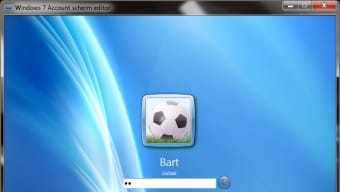
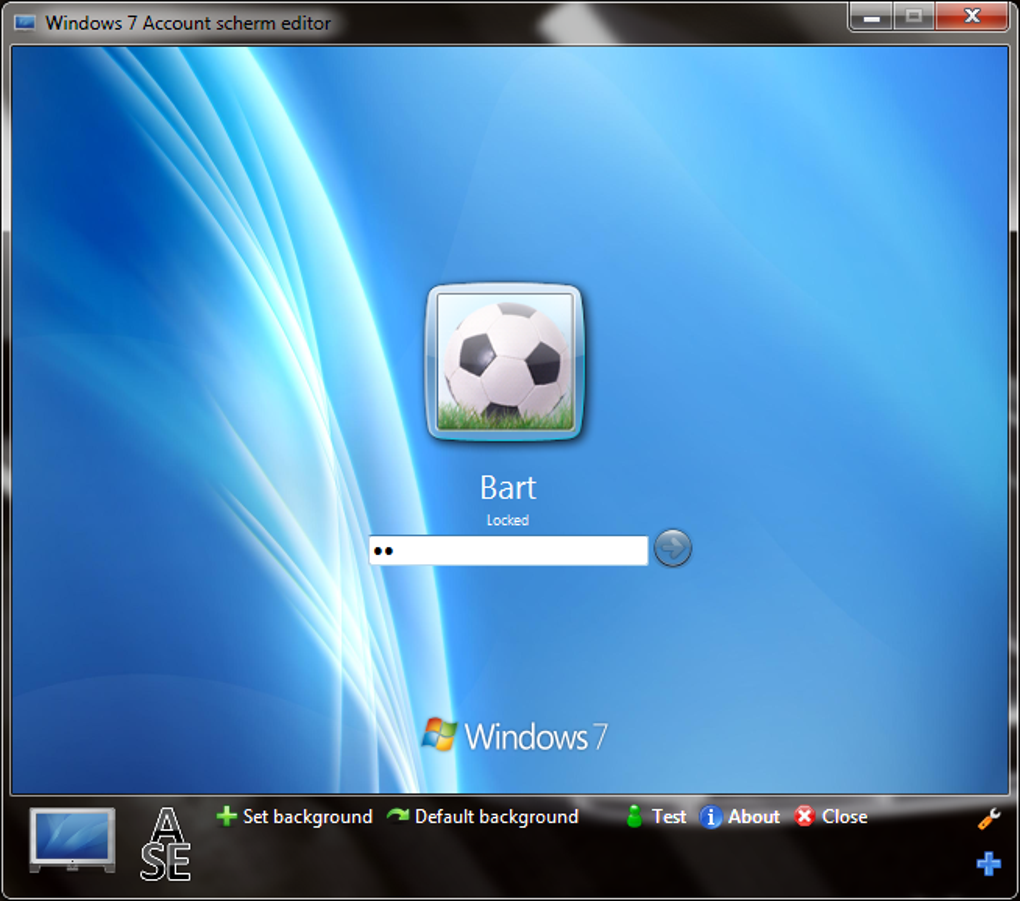
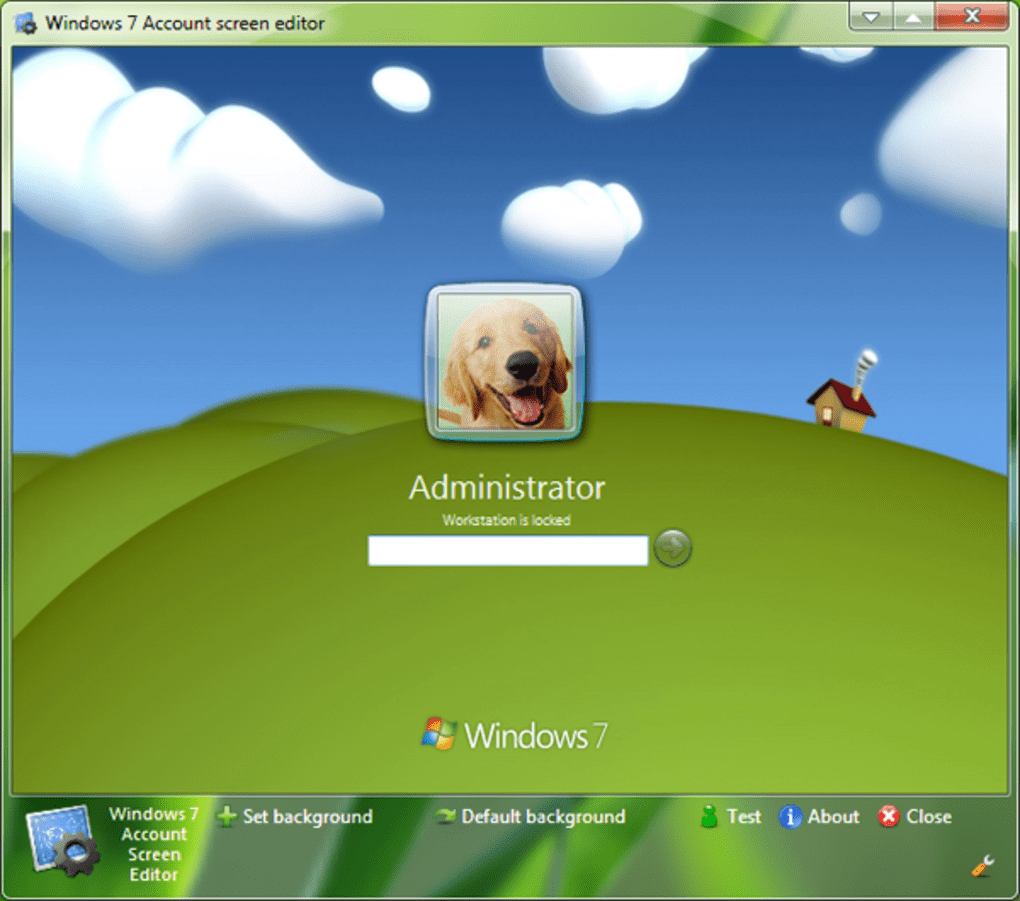
- Rulează aplicația: Deschide programul prin accesul direct. Fereastra principală afișează o zonă de previzualizare, un buton „Răsfoiește” pentru a selecta imaginea și două butoane de acțiune – „Aplică” și „Restaurează implicit”.
- Alege imaginea ta: Apasă „Răsfoiește”, navighează în folderul care conține poza dorită și selectează-o. Zona de previzualizare afișează instantaneu cum va arăta imaginea pe ecranul de autentificare.
- Aplică schimbarea: Apasă „Aplică”. Utilitarul scrie valorile necesare în registru (în
HKEY_LOCAL_MACHINE\SOFTWARE\Microsoft\Windows\CurrentVersion\Authentication\LogonUI\Background) și repornește procesul „LogonUI”. Poate fi cerut să te deconectezi sau să repornești calculatorul pentru a vedea schimbarea. - Verifică rezultatul: Blochează calculatorul (Windows + L) sau deconectează-te. Noul fundal ar trebui să apară imediat. Dacă nu apare, golirea cache-ului de miniaturi se face rulând
cleanmgrși selectând „Miniaturi”. - Restaurează implicit (opțional): Dacă dorești să revii la starea inițială, deschide din nou programul și apasă „Restaurează implicit”. Fundalul original Windows va fi restaurat fără pași suplimentari.
Pentru utilizatorii avansați, versiunea portabilă poate fi extrasă din instalator folosind un instrument precum 7-Zip. După extragere, rulează simplu Win7AccountScreenEdition.exe din folderul portabil – nu este necesară instalarea. Aceasta este utilă pentru administratorii IT care trebuie să aplice un ecran de autentificare personalizat pe mai multe stații de lucru rapid.
Compatibilitate, Avantaje și Dezavantaje, Întrebări frecvente și Concluzie finală
Windows 7 Account Screen Edition este oficial compatibil cu Windows 7, Windows Vista și Windows XP (toate variantele 32-bit și 64-bit). Programul nu suportă Windows 8, Windows 10 sau versiuni mai noi, deoarece aceste sisteme folosesc o arhitectură diferită a ecranului de blocare care necesită o API separată.
Avantaje
- Gratuit și ușor – descărcare sub 2 MB.
- Interfață intuitivă care se potrivește stilului Windows 7.
- Nu este nevoie de editare manuală a registrelor; instrumentul o face în mod sigur.
- Suportă mai multe formate de imagine și oferă previzualizare în timp real.
- Versiune portabilă disponibilă pentru implementare rapidă.
Dezavantaje
- Ultima actualizare din 2011 – fără suport oficial pentru versiuni noi de Windows.
- Limited la BMP, JPG, PNG; nu suportă imagini animate sau cu domeniu dinamic ridicat.
- Necesită drepturi de administrator pentru a scrie în registru.
- Nu are salvare automată a fundalurilor anterioare (trebuie să te bazezi pe „Restaurează implicit”).
Întrebări frecvente
Pot folosi o imagine cu rezoluție mare (de ex. 1920×1080) ca fundal de autentificare?
Da, poți folosi imagini cu rezoluție ridicată, dar Windows 7 le va redimensiona pentru a se potrivi ecranului. Pentru cea mai bună calitate vizuală, se recomandă o rezoluție de 1024 × 768 pixeli.
Am nevoie de conexiune la internet după instalarea programului?
Nu. Toată funcționalitatea este locală. Programul nu se conectează la servere sau nu necesită activare online.
Schimbarea ecranului de autentificare va afecta imaginile conturilor de utilizator?
Nu. Utilitarul modifică doar fundalul ecranului de blocare; imaginile conturilor de utilizator rămân neschimbate.
Este software-ul sigur de la malware sau adware?
Da. Descărcarea oficială este semnată digital și nu conține adware împachetat. Descarcă întotdeauna de la sursa încredere menționată pe această pagină.
Pot programa schimbarea automată a fundalului de autentificare?
Versiunea gratuită nu include un programator. Pentru rotire automată, ar fi nevoie de un script extern care să apeleze comenzi de linie ale programului.
Concluzie finală și Apel la acțiune
Windows 7 Account Screen Edition rămâne una dintre cele mai simple și fiabile metode de a da un identitate vizuală proaspătă unui PC vechi cu Windows. Natura sa gratuită, dimensiunea mică și interfața simplă îl fac deosebit de atractiv pentru utilizatorii casnici, personalul IT din mici companii și oricine mai rulează Windows 7 sau versiuni anterioare. Deși lipsa actualizărilor recente limitează utilitatea sa pe sistemele de operare mai noi, programul își îndeplinește promisiunea inițială: o metodă sigură și fără probleme de înlocuire a ecranului de autentificare implicit. Dacă îți dorești să personalizezi stația de lucru fără a risca stabilitatea sistemului, descarcă astăzi Windows 7 Account Screen Edition și bucură-te de o experiență de autentificare personalizată în doar câteva clicuri.
Notă generală: 4/5 – Instrumentul își îndeplinește promisiunea principală, deși ar beneficia de o actualizare modernă.
Ghiduri și tutoriale
Cum se instalează Windows 7 Account Screen Edition
- Apasă butonul Descarcă de mai sus.
- După redirecționare, acceptă termenii și apasă Instalare.
- Așteaptă finalizarea descărcării Windows 7 Account Screen Edition pe dispozitivul tău.
Cum se folosește Windows 7 Account Screen Edition
Acest software este folosit în principal pentru funcțiile descrise mai sus. Deschide aplicația după instalare pentru a-i explora capacitățile.
Recenzii utilizatori
Nu există încă recenzii. Fii primul care își împărtășește experiența.
S-ar putea să îți placă și
mai mult
Llama 2
Free-to-use large language model As the new addition to Meta’s arsenal of langua...

NotebookLM
Revolutionizing the note-taking and idea-generation process NotebookLM is an exp...

Github co pilot
AI-inspired software development and coding platform GitHub Copilot is a browser...

Google Gemma
Google’s lightweight AI models Introducing Google Gemma , a family of cutting-ed...

AI Image Enlarger
A free app for Windows, by ai-image-larger. AI Image Enlarger is a free software...

DALL E
AI-driven text-to-image transformation engine DALL·E is a free graphic and desig...